 Looma
Looma
Keyboard-first
Move, indent, reorder, finish, and edit tasks without ever reaching for the mouse. Use the arrow keys or j/k, your call.
Local-first task outliner
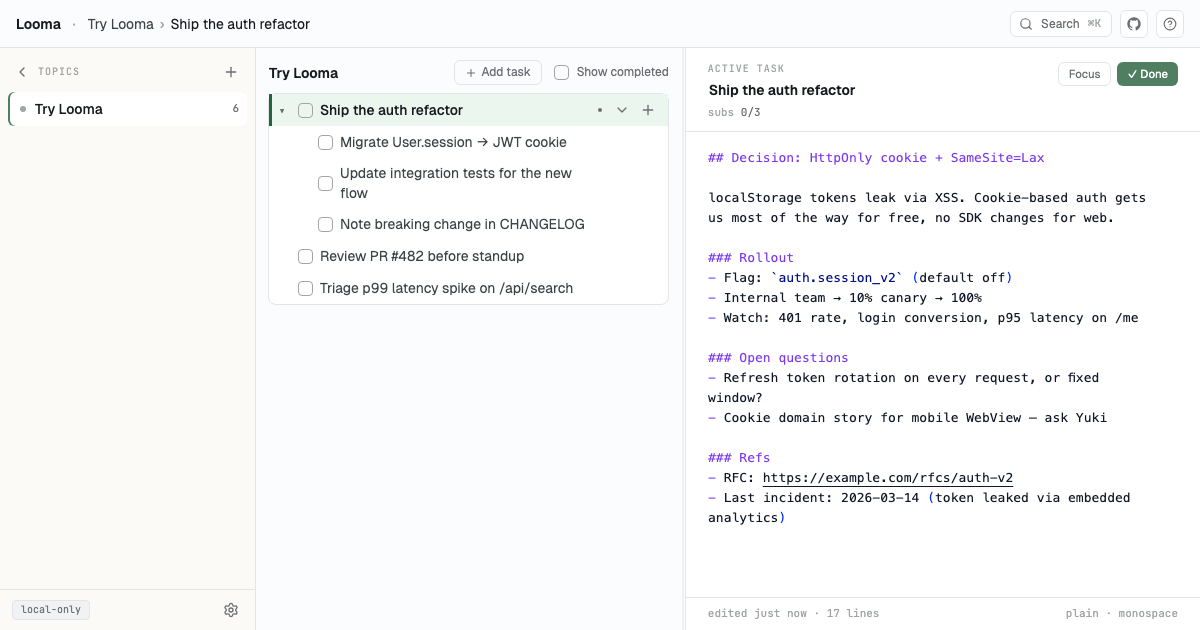
Looma is a keyboard-first outline for your tasks, with room for real notes on each one. Your data stays in your browser. It is local-first, easy to self-host, and there is no signup.
What you get
Built for people who like to plan in lists and move fast with shortcuts, without giving up control of where their data is kept.
Move, indent, reorder, finish, and edit tasks without ever reaching for the mouse. Use the arrow keys or j/k, your call.
Everything is saved right in your browser. It works offline and stays fast, with no waiting on a server.
Every task has its own notes editor. Jot down the details, the links, and the half-formed ideas. They are there when you come back.
Group tasks into Topics and nest them as deep as you need. Hide what you are not working on, and focus on what you are.
Run the optional sync server to keep all your devices in step. Or skip it. Looma works great on its own.
Add Looma to your dock or home screen and open it like any other app. It is ready to work offline from day one.
Fast keys
Here are a few keys you will use often. Press Cmd+/ inside the app to see them all.
Your data, your machine
Looma saves everything in your browser. There is no account to set up, and nothing leaves your device unless you turn on sync. You can export your data to a file any time.
Bring your own server
Want the same outline on your laptop and your phone? Run the open-source sync server yourself. It stays fast even as your data grows, and you decide where it all lives.
Show HN
Looma began as a simple way to plan in outlines without handing your tasks and notes to someone else's cloud. It is free and open source. Try it, break it, host it yourself, and tell us what is missing.
Open Looma →Questions
No. Looma works entirely in your browser. Just open it and start.
Right in your browser. Nothing leaves your device unless you choose to turn on the self-hosted sync server.
Yes. Run the sync server yourself and point your devices at it. Your changes merge safely, so you will not lose any edits.
Because your tasks live in the browser, clearing site data will remove them. Export a backup file (or use sync) to keep them safe.
Yes. The code is on GitHub, and you can host the whole thing yourself.